Hillclimb practice
Same start, same summit, run after run. Watch each attempt against your best all the way up.
Special Stage · New in 5.0
Run a stage flat out and 3pRally shows you, live, whether you are up or down on your best run of the day, at every point on the road. No course to build. No start line to place. Tap Go, drive, and from the second run on you have something to chase.
 Part of 3pRally · iPhone & iPad
For hillclimbs, sprints, shakedowns and test days
Nothing to set up
Most GPS timers make you define the course before they will time you: open a map, drop a start line, drop a finish line, aim each one, size the trigger. On the side of a hill, in a helmet, that is the last thing you want to be doing. 3pRally asks for none of it.
In 3pRally
It groups your runs by where you started, the day you drove them, and how long the run was, so a different road does not end up in the same comparison. Nothing to name, nothing to map.
In a lap timer
Get any of it wrong and the run does not register.
The ghost
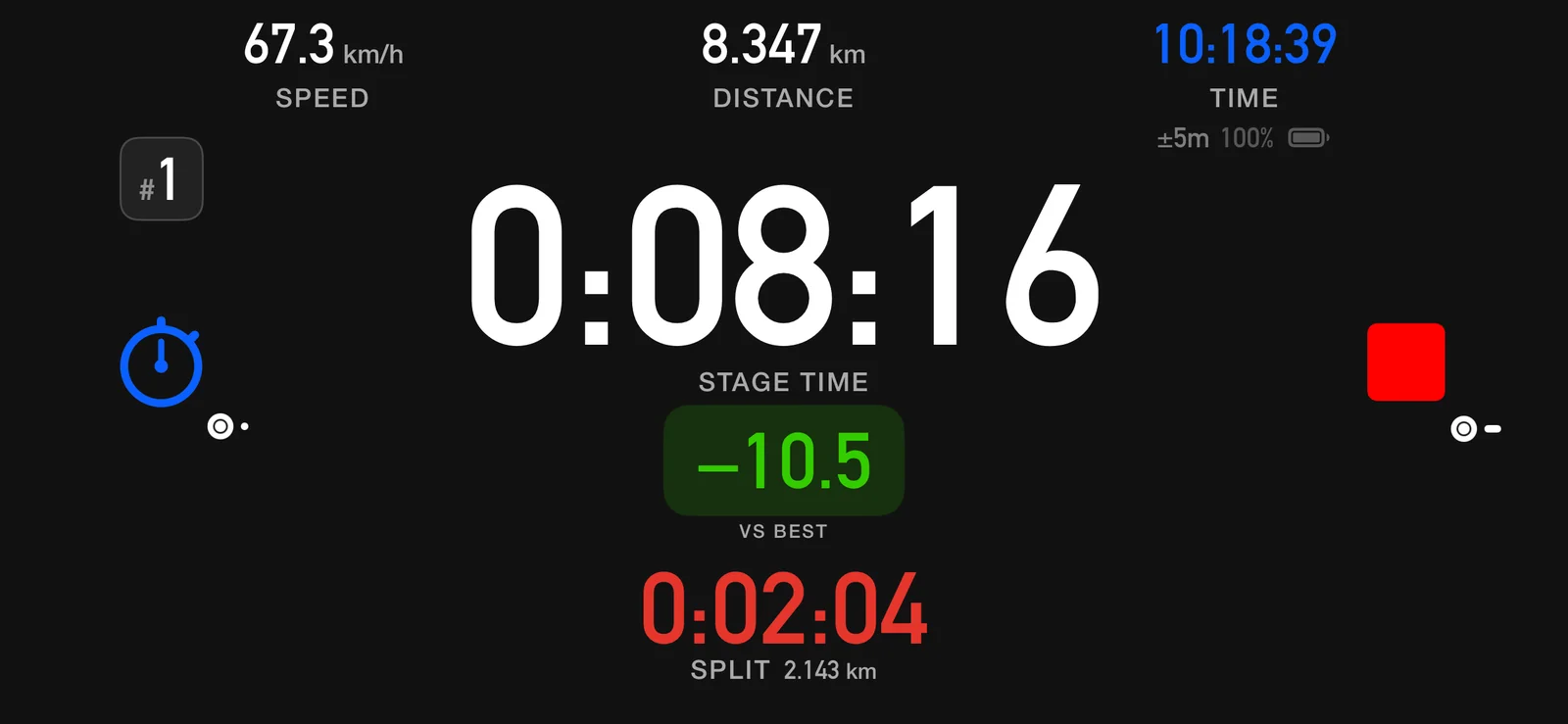
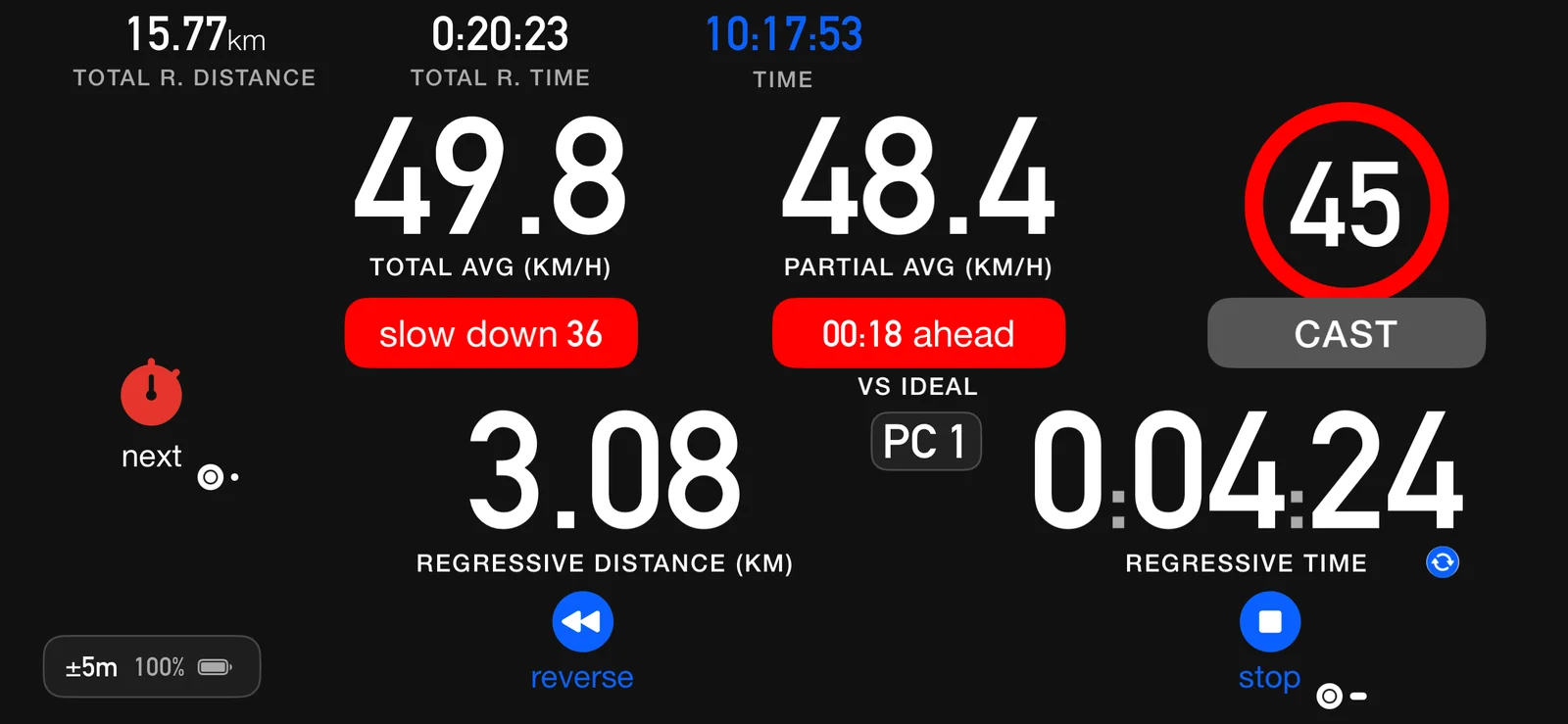
Your fastest run of the session becomes a ghost. As you drive the next one, 3pRally lines the two up by distance and shows one number: the gap vs best, continuously, at the same point on the road. Green when you are up, red when you are down. Mark a split as you go and it records the distance it covered and its time.
Nothing to chase yet, so the dashboard just runs the clock. This run becomes the ghost the others measure against.
You are a second and a bit ahead of your fastest run, right here on the road. Whatever you changed is working.
You have given a little back since the last corner. You know before the finish line, not after it.
When you stop
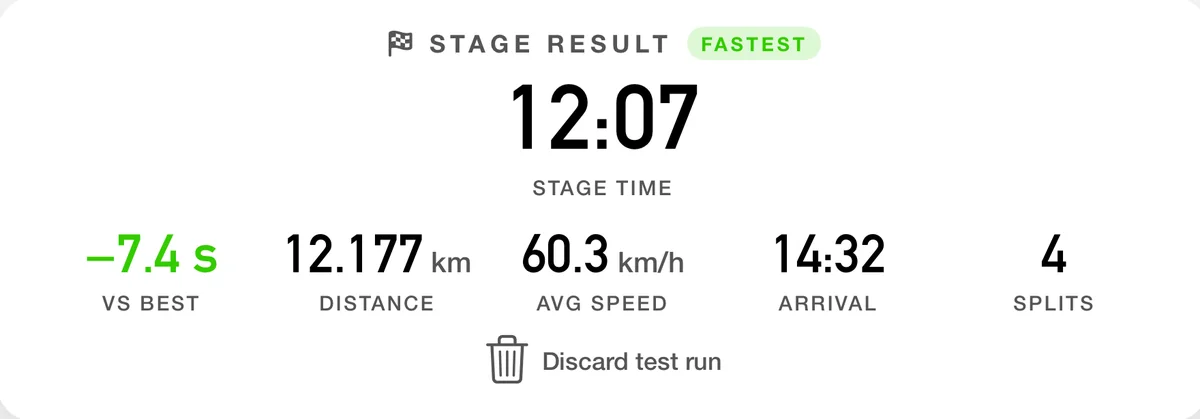
Every run gets its total time and its top speed. Beat your best and the recap carries a FASTEST badge; otherwise it shows the gap vs best. Drove a duff one? Discard the test run and it stops counting, including for the badge.
In your tracks
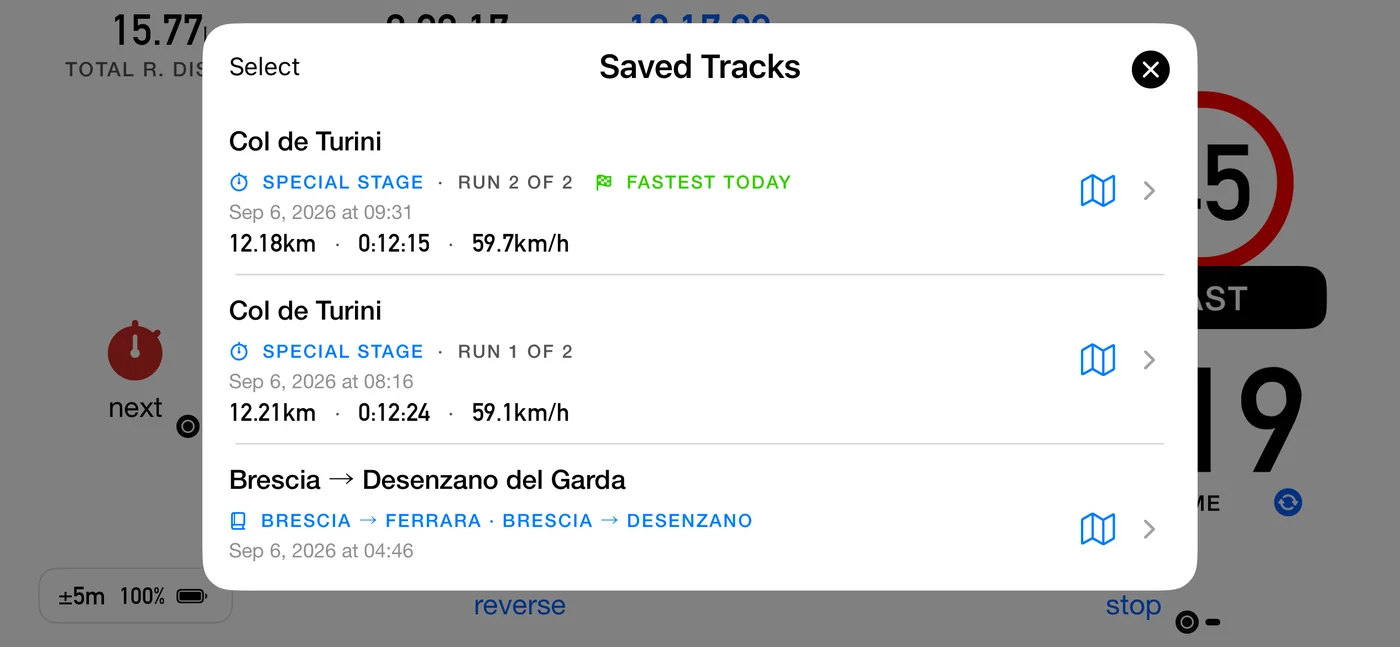
Saved runs carry a Special Stage badge and their place in the day (run 2 of 2), and the quickest is flagged fastest today. Both runs sit there together, so the nine seconds you took off the first one is a thing you can see.
Share
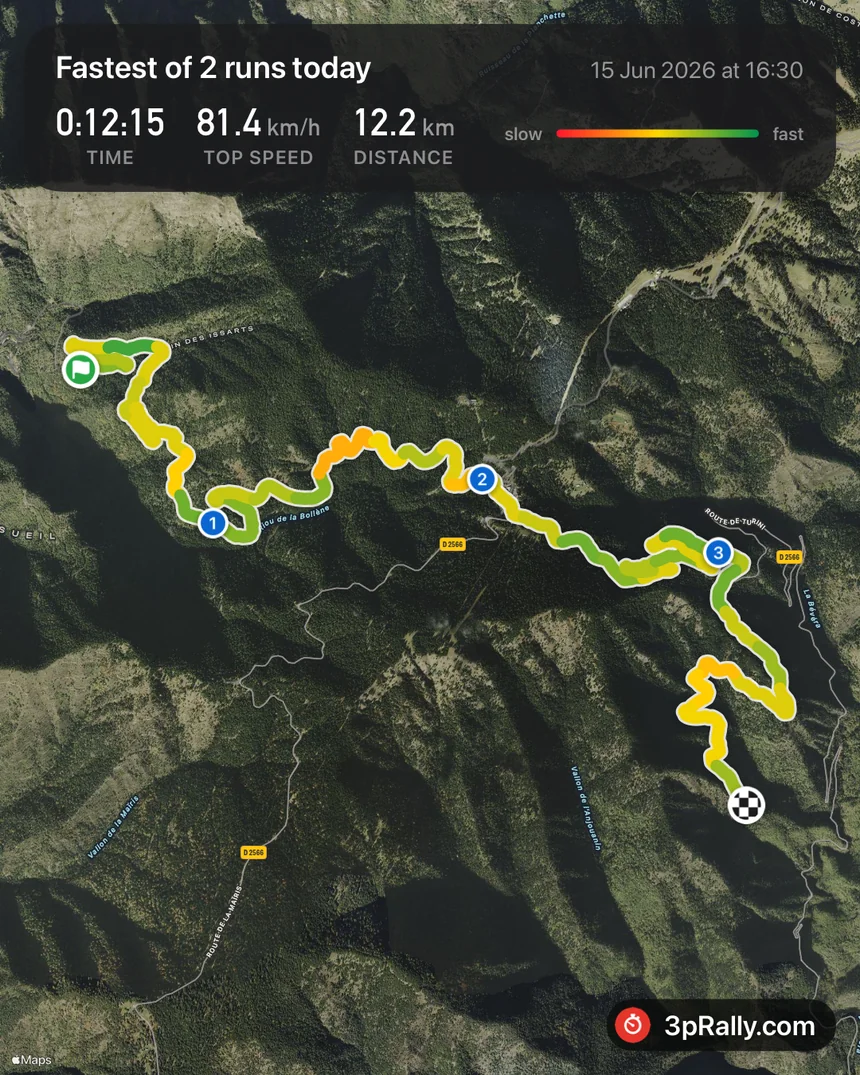
The card leads with the time, the top speed and the distance, over a satellite map of the road you actually drove, drawn slow to fast, so the corners you lost it in are the ones that show. It heads itself fastest of n runs today when that is what it was, and otherwise with where you drove it. Ready for the group chat, the club page, and whoever reckons they were quicker.
Where it shines
Anywhere you repeat the same piece of road to go quicker, the ghost turns each run into a measured one.
Same start, same summit, run after run. Watch each attempt against your best all the way up.
Change a setting, drive the same stretch, and see in seconds whether the car actually came alive.
Learn a road by driving it back and forth. The ghost tells you which line paid off.
No circuit database, no gates. Tap Go on the pit exit and chase your own laps.
Your own clock
Honest to about a second, and it never pretends otherwise.
This is your own in-car GPS clock, not official timing. GPS is good to a few metres, which at speed is a fraction of a second of wobble, so 3pRally tells you “about a second up”: the honest truth, not a transponder’s hundredth. It compares the runs you drive from the same start, on the same day, over the same length of road. It is exactly what you need to know whether that line, that gear, that tyre pressure actually made you quicker.
The rest of it
Special stage is one mode inside 3pRally, the rally computer. The same app builds your roadbook, holds a target average with CAST, and paces an open road inside its cap. Live guidance while you drive, and a full recap when you stop. You are not carrying a second app just for the stages.
Questions
No. Stage mode is self-contained: you tap go, drive, and tap stop. Nothing is entered beforehand, and there is no course to define. A roadbook is for events that hand you one. It is a different mode, and this does not need it.
No, and it does not pretend to be. This is your own in-car GPS clock. GPS is good to a few metres, which at speed is a fraction of a second, so the gap is an honest “about a second up” rather than a transponder’s hundredth. It compares the runs you drive from the same start, on the same day, over the same length of road. If an organiser is timing the stage, their clock is the one that counts.
Nothing, to try it. 3pRally is free to download, and runs 45 minutes a day unpaid. That limits running time, not features, so every mode works inside it, Stage mode included. Enough to judge the app, not enough for an event, so settle your access before you go.
To lift the limit, buy the Lifetime Pass once or subscribe. Either way it follows your Apple ID and works on every device you sign in with. Full pricing is on the main page.
Bought 3pRally years ago? Your purchase still stands. See the pricing FAQ for how legacy purchases carry over.
No. The iPhone’s own GPS is what this runs on. If you want a steadier fix under trees or in a metal-roofed car it works with the Bluetooth receivers that pair natively with iOS (we test with the Garmin GLO 2 and the Dual XGPS150A), but nothing here requires one.
45 minutes a day, free, for as long as you like.
Buy it when you’re sure.
iPhone & iPad
Copyright 2026 Stooj srl. All rights reserved.
P.IVA 03932870920
Proudly crafted in Sardinia.