4. Running
4.1 Starting
Tap go. What happens next depends on Settings ▸ Start ▸ Auto-Start:
| Auto-Start | Result of tapping go |
|---|---|
| Off (default) | Starts immediately |
| 30 sec / 60 sec | Countdown screen, then starts on a round clock time: see below |
| At time | Counts down to a clock time you set |
30 sec and 60 sec do not start exactly that long after you tap go. They start on a round clock time, so the start is easy to agree with a marshal: 30 sec picks the next whole or half minute at least 30 seconds away, and 60 sec the next whole minute at least a minute away. So a 60 sec start can be up to two minutes off.
Auto-Start "At time"
If no time is set, tapping go opens the set-time dialog. The rules:
- at least 10 seconds in the future,
- within 90 days of today,
- an invalid date is rejected with an explanation.
While Auto-Start is on "At time", a set timer button sits on the idle dashboard so you can set or change the time. In Classic and Stage it sits opposite go, above calibrate.
The go button carries a start-delay badge, the same in every mode:
| Badge | Means |
|---|---|
| Red SET with a timer | No start time yet: tap go or set timer |
| Orange hh:mm | The start time |
| Black hh:mm (white at night) | The start is less than 5 minutes away |
| Orange dd/mm | The start is more than a day away: the date |
| Black +30s / +60s | Auto-Start 30 or 60 seconds |
⚠️ The countdown screen only counts inside the last 5 minutes. Further out it says so and offers start now. This is deliberate: you set your minute at the control, then park the phone.
If an official time offset is set, the countdown uses official time rather than the phone's clock.
Countdown
Settings ▸ Start ▸ Countdown is Off, 5 sec (default on a new install) or 10 sec, and it is the audible countdown on that screen. It needs Sounds or Voice to be heard. The same setting counts you out of a roadbook pause too (6.6b), so it can be set with Auto-Start off. If you updated from an earlier version it stays as you had it, Off unless you changed it.
4.2 Marking a crossing
Tap next at each waypoint or control. It:
- zeroes the partial distance and partial time, and with them the partial average (in Roadbook the partial average runs from control to control instead: see 6.2),
- advances the crossing counter,
- drops a pin, where the boundary is a control,
- re-arms the distance alerts,
- in Roadbook, loads the next row's targets and fires any zero-odometer flag on it,
- in Stage, and in a Special Stage part, banks a split,
- clicks, or speaks, depending on your sound settings.
With Settings ▸ Controls ▸ Show result at each control on, a brief card follows each next. In Roadbook it shows how that part scored (see 6.13), and only at a scored control: a row that is a reference rather than a control crosses quietly.
In Classic and Advanced, where you follow a paper roadbook and next is your control, the card shows the sector you just closed: its time, distance and average, and the time of day you pressed. There is no score, because the target is on your paper, not in the app. In Stage the next button banks a split and shows no card. The card at the end of a run is a separate setting and does appear in every mode: see Show run summary below.
Some roadbook rows cross by themselves, at the distance the paper gives. See 5.5 for which rows do that and why the sport's own rules put it there.
What you hear at a crossing, and why it differs
A crossing you made and a crossing that happened to you need different things said, so the app says different things.
| What it says | |
|---|---|
| You tapped next | "next", spoken: the word on the button you pressed (until 3pRally 5.1, "Reset"). You know where you are, so it confirms the tap registered, nothing more. On a roadbook with a single row the button reads reset, and so does the voice. |
| In Stage | the elapsed stage time, because a tap there marks a split |
| The row crossed by itself | a click if the part ahead was already announced on the approach; otherwise its name and target, "CAST 40" or "target 120", or the length of the pause if the row is one. Nobody pressed anything, so "next" would answer a question you never asked. What you need is the number that just changed under you. |
| In a dense chain | a click only. Parts a few seconds apart would otherwise speak over each other continuously. |
With voice off and sounds on, all of these are the click. With both off, an automatic crossing still pulses the target speed on screen, so it is never silent in the sense that matters.
A row that zeroes the odometer
Roadbook only. A row can carry a flag that zeroes the total distance at its control; how that looks on screen is in 6.16.
4.3 Pause
Off by default. Turn it on in Settings ▸ Controls ▸ Pause button.
While paused, the clocks freeze and no distance accumulates: the app keeps re-baselining your position, so measuring restarts from where you actually are. Tap Resume, or tap anywhere, to continue.
⚠️ Not available in Special Stage or Open Road parts, where the timing is continuous and there is no clock you may legitimately stop.
This is your clock, not the organiser's. Pause is the button for being held unexpectedly, and it stops the counters you own. It does not shorten or extend a roadbook Pause part, which is a halt the organiser scheduled and which runs for as long as it was written for (6.6b). The two share a word and nothing else.
4.4 Reverse
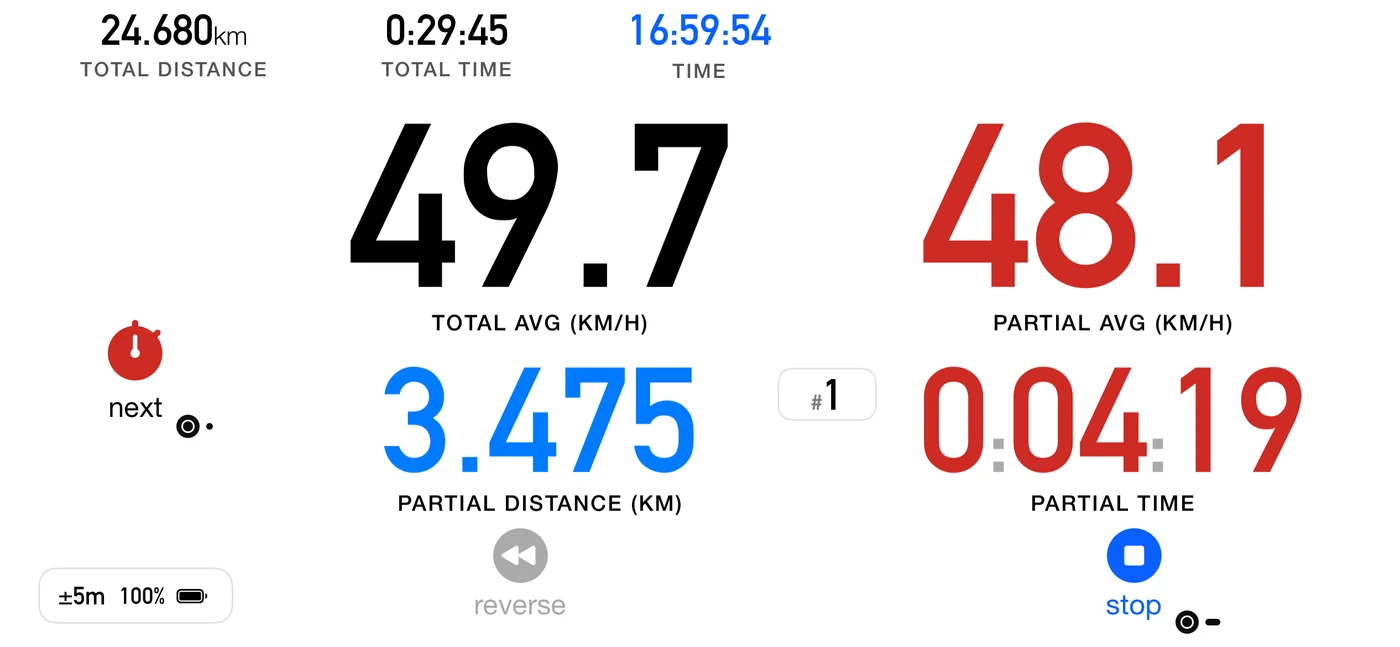
reverse subtracts distance instead of adding it, for backtracking to a missed junction without corrupting your totals. The partial distance turns blue; the total distance, the times and, in Roadbook, the count-down distance keep their colour. Voice says "Going Backward" and "Going forward now", and a brief flash confirms it. Tap again to return to normal.
4.5 Quick restart (the reset button)
The button is labelled reset; this manual calls what it does a quick restart.
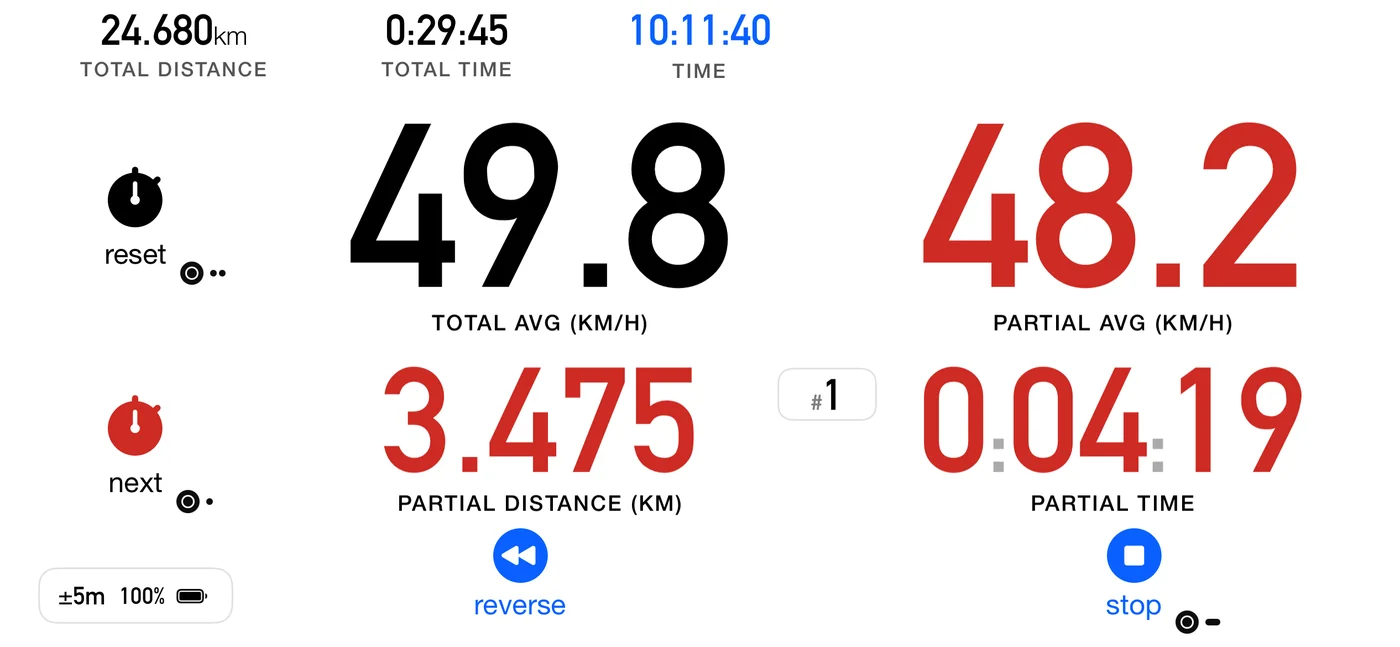
Resets every counter and starts again immediately, which is the fast way to begin another run without stopping first.
- Turn the button on in Settings ▸ Controls ▸ Show reset button.
- With Confirm stop & reset on (default) a Reset? dialog asks first. With confirmation off you press and hold it.
- The run it ends is always saved.
- With a Flic, a double click does it too (9.1); with the Bluetooth media button, two presses of Previous (9.6).
- Like stop, it takes its time and distance at the moment your finger or the Flic goes down, so waiting for a hold or a dialog costs you nothing.
⚠️ Not available in Roadbook mode. To zero the odometer at a point on a roadbook, put the zero-odometer flag on that row instead (5.6).
⚠️ Quick restart and the independent average are mutually exclusive. Turning one on turns the other off, since both want the same button.
4.6 Stopping, and finishing
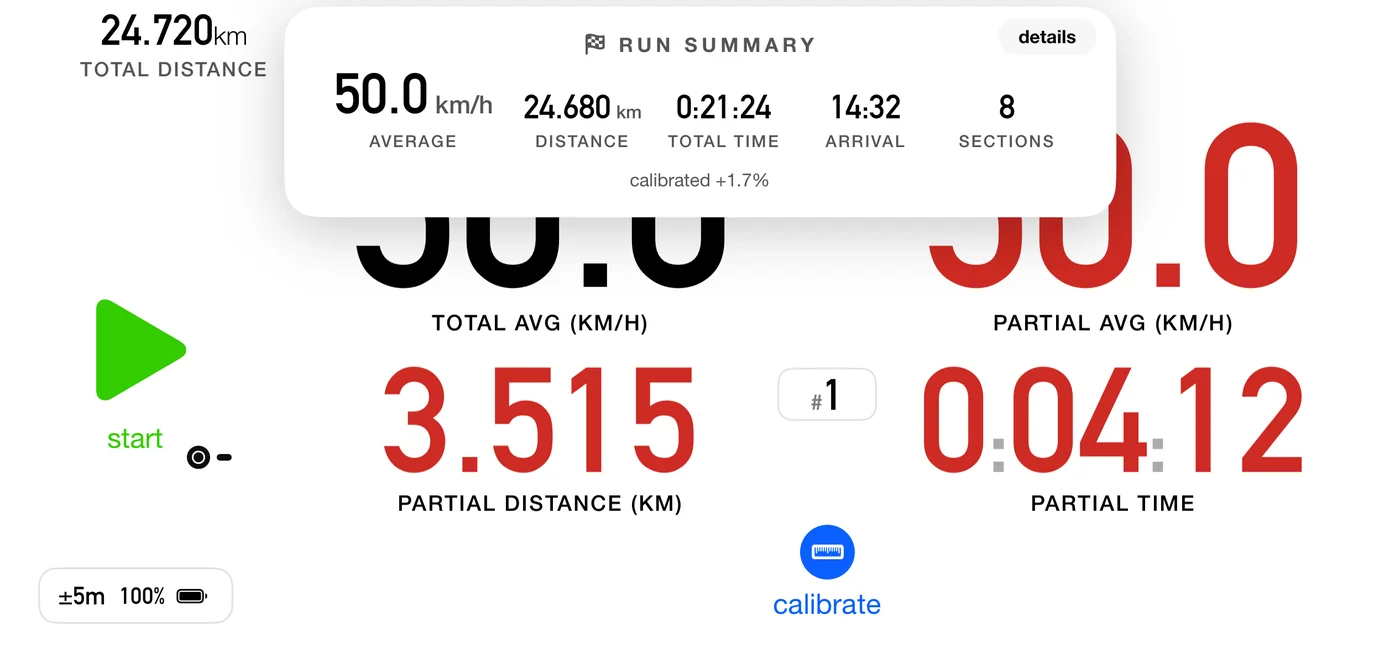
stop ends the run.
- With Confirm stop & reset on, a Stop? dialog asks first and Stop ends the run. With auto-save on, which is the default, that one button also saves. With auto-save off the dialog gains a second button, Stop & Save Track. On a roadbook's final part the same dialog reads Finish? and Finish.
- With confirmation off, press and hold.
- With a Flic, hold it. With the Bluetooth media button, press Next twice, or hold it once if your button can.
- The time and distance are taken the moment you press, when your finger or the Flic button goes down. Holding, or answering the dialog, does not add to your time or distance.
- In Stage mode it is always a single tap, whatever those settings say, because a hold or a dialog would land on the recorded elapsed time, and that time is the result.
Finishing a roadbook is different from stopping one. On the final part the button becomes a checkered flag. Tap it and confirm Finish, or, with Confirm stop & reset off, hold it. Either way it crosses the last control, scores the final part and saves the track. Or set the roadbook's Finish to auto, and the run ends by itself at the last part's distance. Ending anywhere earlier is an abandon, and the button deliberately keeps saying stop. See 6.8.
Afterwards, with Settings ▸ Controls ▸ Show run summary on, a card shows the average speed, distance, time, arrival and how many parts you completed. When the run was saved, its details button opens it in the track list, part by part. This one appears in every mode, and after a quick restart as well as a stop. Those two are the only actions that end a run, which is why they are the only ones that produce it.
If the app was killed mid-run
On the next launch it offers to resume the trip. If the state cannot be recovered it says so, and confirms the track was saved.
That includes being killed during a pause (fixed in 3pRally 5.1): the run comes back still paused, with the pause card up, the time and the average exactly as they were when you paused; leave the pause as usual when you move off, and everything since you paused counts as pause, not driving. The one exception is a roadbook pause row whose due-out time has already passed while the app was down: the regroup is over, so the run comes back running. Until 5.1 a pause threw the recovery data away, so a crash at a regroup lost the run.
It also comes back on the row you were on (3pRally 5.1). The recovery data is now saved at every control you cross, every reset and every undo, as well as every 30 seconds. Until then a crash just after a control could bring you back on the row before it: the app crossed that control a second time, scored it again and repeated its announcements, and a pause row it had just entered started its time over.
4.7 The independent average
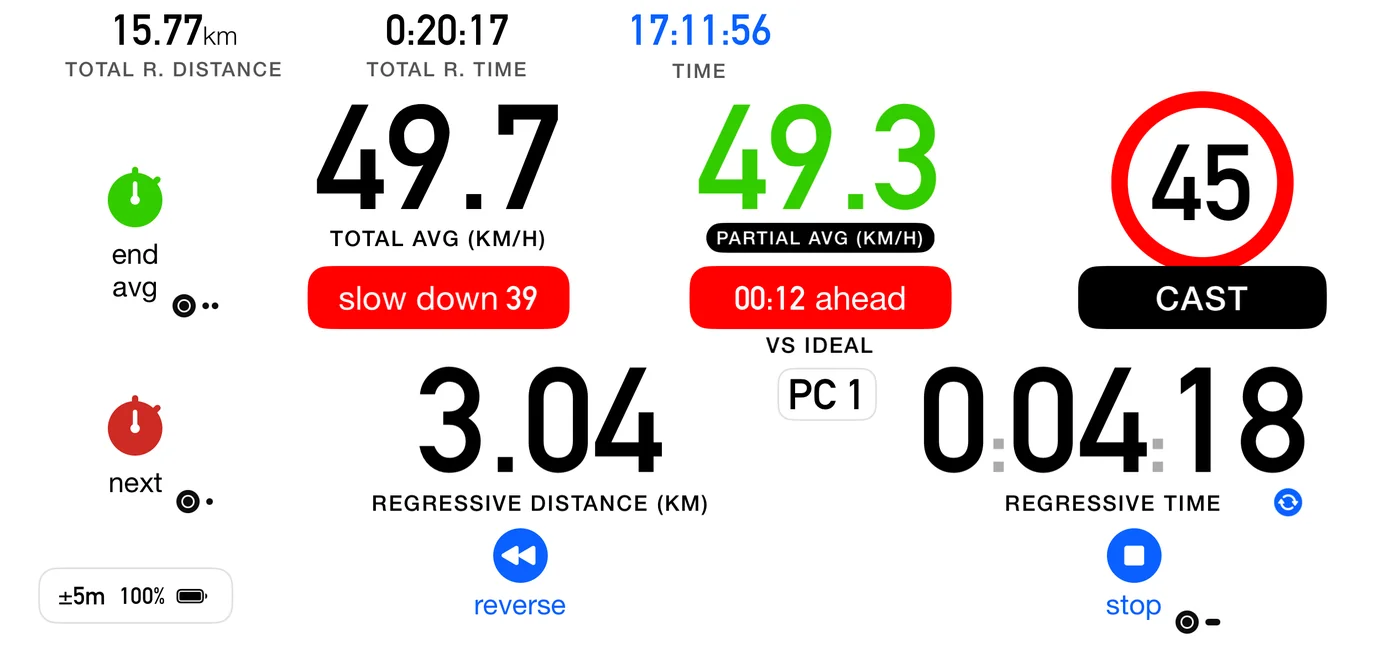
Settings ▸ Dashboard ▸ Independent partial avg speed turns the reset button into an A-to-B average tool:
- press once and a fresh average starts from that moment, shown in green;
- press again and it ends, and the readouts go back to the ordinary partial.
- a Flic double click does the same as pressing it.
Both are a single tap, and ending one is not held or confirmed even when Confirm stop & restart is on. That setting guards the two expensive actions on the same button, stopping the run and quick restart. Ending this window costs you one temporary readout that you can start again with another tap, so it is not worth a gesture of its own.
While it is running, the big average on screen is that window, shown in green like its distance and time, and it is not coloured against the schedule: it is measuring your stretch, not your pace, so being fast or slow for the roadbook says nothing about it.
It intentionally ignores control crossings, which is the point: "from this sign to that junction, what did I average?" is a different question from "how am I doing against the schedule".
It is available in every discipline. In a Special Stage it has no competitive meaning, since fastest elapsed time wins, but it is harmless and opt-in. In Open Road, where you are managing an average, it is genuinely useful.
4.8 The three resets people confuse
Keep these apart, because they get run together:
| What it zeroes | What survives | |
|---|---|---|
| next | the partial only, and it advances the roadbook | everything else |
| zero the odometer (a roadbook row flag) | the distance reading only | time, schedule, marked controls, your position |
| quick restart | the whole run | nothing, it starts again |
And a fourth that is easy to mistake for them: the independent average is a running average you arm by hand, and it ignores control crossings entirely.
4.9 Official time
Rallies run on the organiser's clock. Double-tap the clock on the dashboard to enter an offset; in Stage mode a single tap on the clock does it. The clock then turns green and reads official time, and Auto-Start and the countdown follow it.
4.10 Long runs
The app warns when the battery is low and not charging. For multi-hour work, set up Energy saving (11.9) before the start rather than during it, and keep the device on power.