
8. Sound and voice
Both exist for the same reason: keeping your eyes on the road. Voice is the richer of the two, and Sounds is the one that still works when you cannot make out speech over the engine.
Everything here lives under Settings ▸ Sound & voice.
8.1 Sounds
Sounds (default: on) is the master switch for tones:
- a click when you mark a crossing, where Voice is off and speaks instead,
- the audible countdown, at an auto-start and at the end of a roadbook pause,
- the partial-distance beep,
- the over-max alert on a capped part, for crews running on sound rather than voice.
8.2 The partial distance alert
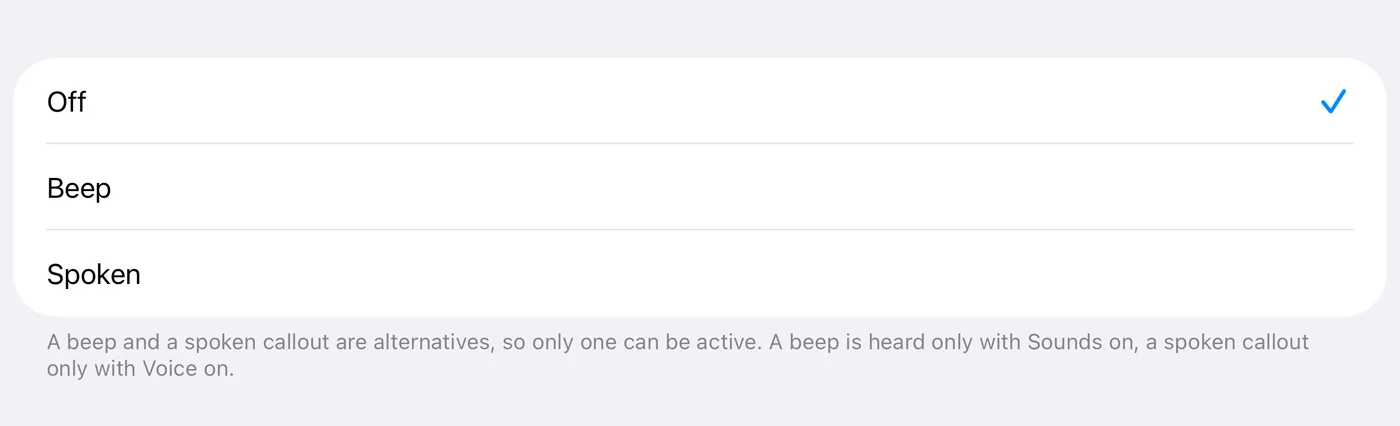
Partial distance alert is a single setting with three states: Off (default), Beep, or Spoken. Alert every sets the distance between two of them.
A beep and a spoken callout are alternatives, so only one can be active. That is why it is one row rather than two that could contradict each other. Picking one does not touch the main switches: a beep is heard only with Sounds on, a spoken callout only with Voice on.
The spoken distance is the partial distance on your screen, whichever way it runs: in a roadbook with Regressive distance and time on, the distance still to go to the next control; with it off, the distance driven, which a trip zero restarts. (Until 3pRally 5.1 a roadbook always said the distance to go, even when the screen counted up.) A distance that counts down says so: "0.7 kilometres to go". Within 50 m of a control, on either side, it says nothing, because the crossing has its own callout, and nothing is said while the FINISHED card is up. Further past a control you did not tap, the overshoot is still said, as a negative distance.
It is said with the decimals the screen shows: a roadbook's own while it is loaded, otherwise your Distance format setting. (Until 3pRally 5.1 it always followed your setting, so a two-decimal roadbook on a three-decimal phone showed 0,22 and said "0.223".)
Say time with distance (new in 3pRally 5.1; on for a new install, off if you updated) adds the partial time on your screen to the spoken distance: "1.2 kilometres, 3 minutes 20". With Regressive on it is the time still to go, and once that is past zero (you are late) nothing is added: the red readout and the time-to-ideal tip already say so. It is said to the second, without the word "seconds" once past the first minute, and as "1 hour 3 minutes 20" past the hour; in the first minute it is "45 seconds", because a bare number after a distance would sound like part of it. The row appears with Spoken, and the time is only said when Alert every is 0.5 or more: at 0.1 the callouts come every few seconds at speed, and the longer sentence would pile up behind itself. The words follow the app's language.
8.3 Voice
Voice (default: off) activates the audio session with ducking, so announcements dip your music rather than fight it. With the Bluetooth media button on, your music pauses while the app is open instead (9.6).
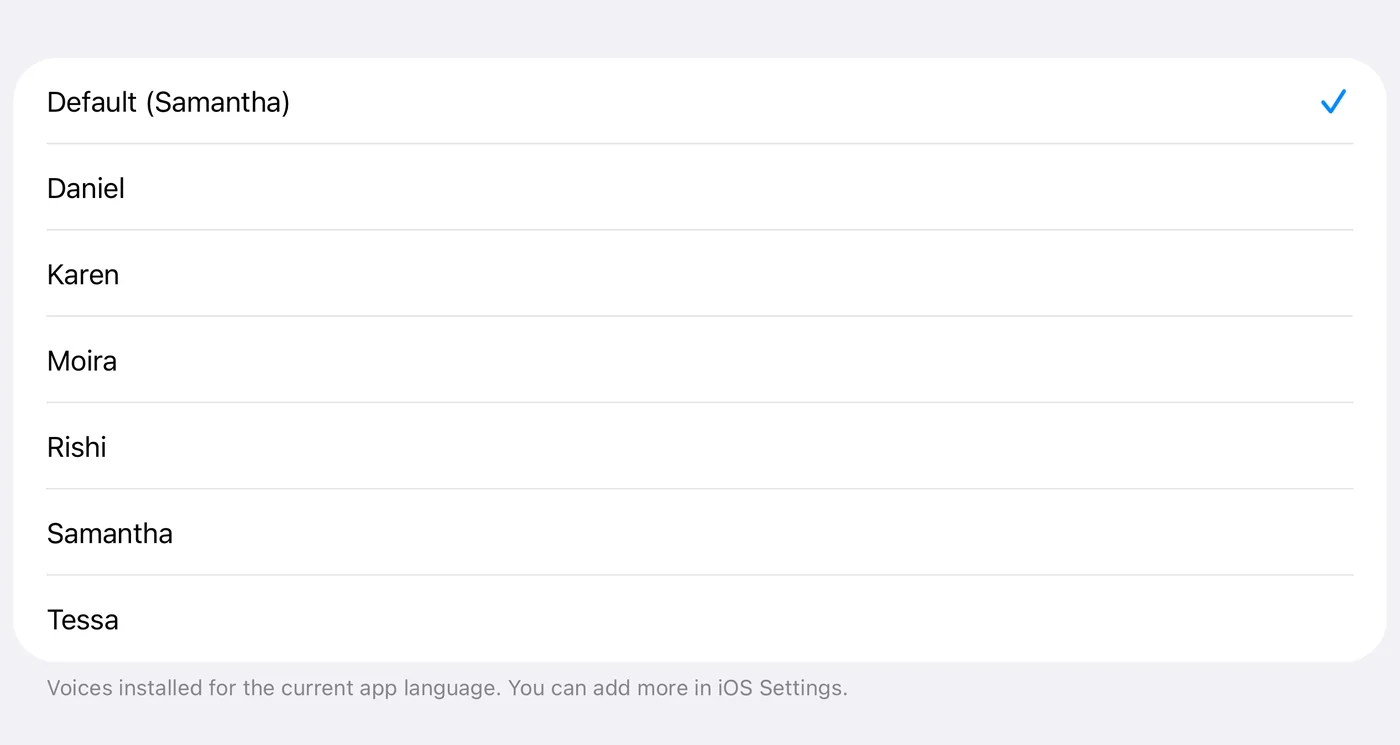
Announcement voice picks which installed voice speaks, from those installed for the app's current language. The name tells you the quality, and "Default" shows what it resolves to. Choosing one speaks a sample immediately so you can judge it.
Announcements are spoken in a slightly lower voice than normal, and the ones that repeat, speeds and time to ideal, a little faster too, so each one is finished before the next is due. That is deliberate, not a fault with the voice you picked.
To get more voices, install them in iOS Settings ▸ Accessibility ▸ Spoken Content ▸ Voices. iOS gives an app no way to do that for you. The list follows the app language, so changing the language changes the voices, after a relaunch.
What Voice says without being configured
| Event | Spoken |
|---|---|
| Voice turned on | "Voice On" |
| Tapping next | the word on the button: "next", also when it reads auto and you tap it anyway; "reset" on a roadbook with a single row, where it zeroes the trip (until 3pRally 5.1 next said "Reset", and that trip zero was silent) |
| Tapping reset | "reset" for a Quick restart (until 3pRally 5.1, "Go!"); "Average started" or "Average ended" when it starts or ends the independent average |
| Marking a split in Stage | the elapsed time, spelled out |
| Reverse on and off | "Going Backward", "Going forward now" |
| A row that crosses by itself | a click if the part ahead was already announced, otherwise its name ("CAST 40", "target 120"); for a pause, how long it lasts ("Pause, 1 minute"), so it never changes silently |
| The automatic finish arming (new in 3pRally 5.1) | "Finished", the word on the banner, as it appears; with Sounds only, a click |
| Arming and ending the independent average | "Average started", "Average ended" |
| No usable GPS fix for 10 seconds during a run (new in 3pRally 5.1) | "No GPS Signal!" once, then "GPS signal back" once when a usable fix returns. Usable means within 50 m (where the accuracy readout turns red), or your Required accuracy if that is looser, so a merely imprecise fix under trees does not set it off. Not in a pause, and never repeated, so a long tunnel costs two sentences |
Spoken speeds follow your Speed format setting, not the roadbook's, and drop a decimal that carries nothing. A target of 45,3 is announced as "45,3" when your setting has a decimal; a target of 80 is announced as "eighty", never "eighty point zero". A spoken number is not something you compare against the page character by character, so it answers to your own setting, and every needless decimal is another word to sit through at speed.
The warning and the confirmation say it the same way. When a part is coming up you hear the new target, and when it takes effect you hear it again; both come from the same formatter, so the number cannot appear to change between the two.
8.4 Announcements
Confirmations cut in. When you press something the app answers immediately, stopping whatever it was saying. Announcements are periodic and come round again in a few seconds; the press does not, and a confirmation you hear once the readout has finished is answering a question you have stopped asking. The one-shot upcoming section callout cuts in too, because heard late it is no use. The periodic announcements never interrupt: they wait their turn.
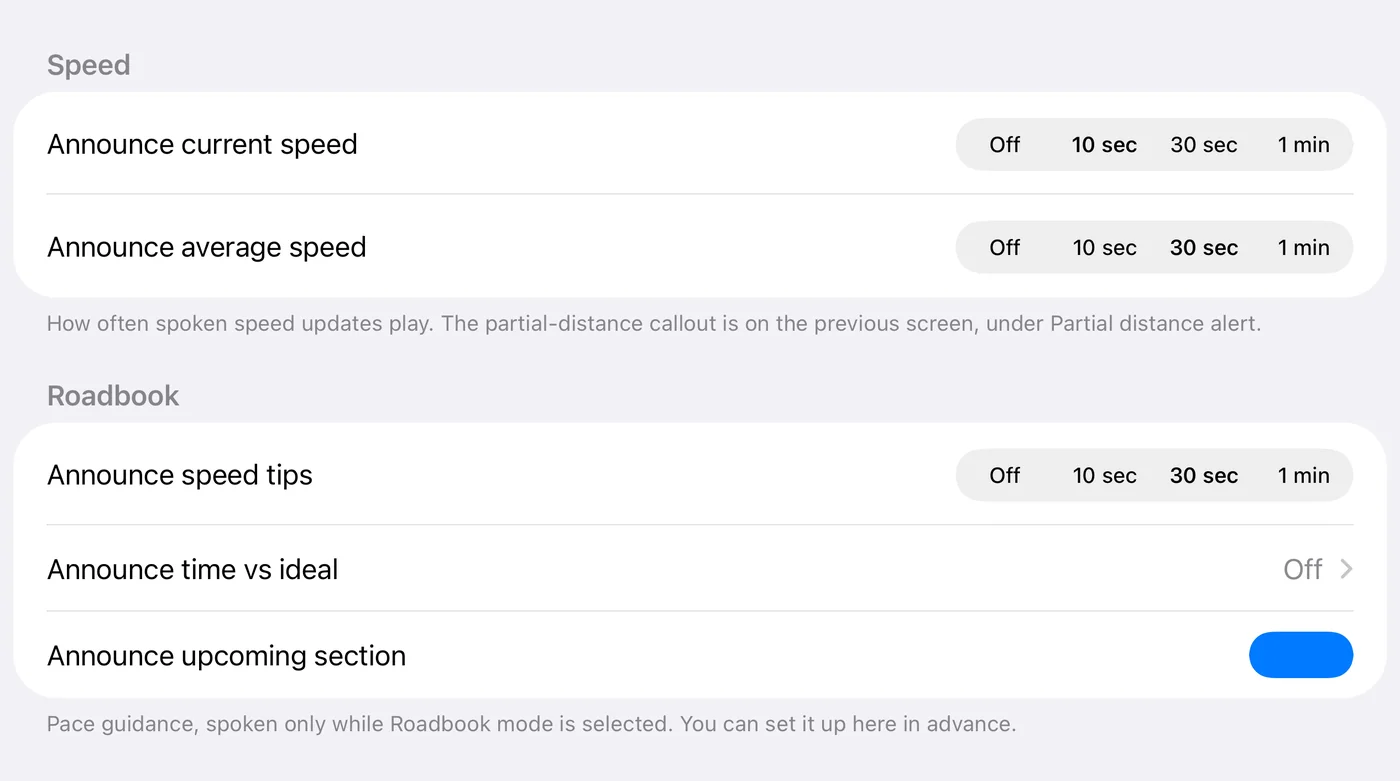
Sound & voice ▸ Announcements holds everything the app beeps or says while you drive, in three groups: Distance (the partial distance alert of 8.2), Speed and Roadbook. It opens with Voice off too; the spoken rows are greyed until Voice is on.
Speed
| Row | Options | Default |
|---|---|---|
| Announce current speed | Off · 10 sec · 30 sec · 1 min | 10 sec |
| Announce average speed | Off · 10 sec · 30 sec · 1 min | 30 sec |
The average announcement carries the current pace tip with it, so you hear one phrase rather than two. It goes quiet inside a roadbook pause part, where the dashboard prints a dash in that slot for the same reason: with the odometer stopped there is nothing to average (6.6b).
It also waits for the first 10 seconds of each new section (3pRally 5.1): an average over a second or two after a control means nothing. If its interval comes round in that time, you hear it at the 10-second mark instead. (Until 5.1 it could say "299 km/h average" just after leaving a pause.)
Roadbook
Pace guidance, spoken only while Roadbook mode is selected. You can set it up here in advance.
| Row | Options | Default |
|---|---|---|
| Announce speed tips | Off · 10 sec · 30 sec · 1 min | 30 sec |
| Announce time vs ideal | Off · every 0.5 / 1 / 2 units | Off |
| Announce upcoming section | on / off | On |
- Speed tips speaks the pace instruction, and it never speaks when there is no tip to give.
- Time vs ideal speaks the live delta to the tenth, for example "3.2 seconds to ideal" (3pRally 5.1: to the hundredth before; the screen keeps its own precision). This is the announcement that lets a driver hold a regularity without looking at the screen.
- Upcoming section speaks a one-shot callout when the look-ahead appears, for example "CAST 80 ahead".
⚠️ Over a MAX cap, the spoken warning is "over max", not "slow down". The two mean different things: the pace tip is about the schedule, the cap is a limit. They are kept apart in the voice for the same reason they are kept apart on screen.
"Over max" is said the moment you go over (3pRally 5.1), ahead of anything else the voice was about to say, because a limit told late is told wrong. While you stay over it repeats on your Announce speed tips interval (or not at all with speed tips Off), and once you have been back under for 5 seconds the next crossing is announced at once again, so hovering right on the limit does not make it chatter. (Before 5.1 the first "over max" waited for the tips interval, up to a minute.)
In a roadbook pause row it stays silent (3pRally 5.1), as it already did with the pause button: a regroup is not timed, so moving the car around the parc is not a warning.
8.5 Choosing a setup
| You are | Suggested |
|---|---|
| Driving a regularity alone | Voice on, time vs ideal every 0.5, speed tips 30 sec, current speed off |
| Two-up with a navigator on the paper | Voice off, Sounds on, partial alert on Beep |
| On a capped part | Voice on for the spoken over-max, or Sounds on for the alert. One or the other, not neither |
| Touring | Partial alert Spoken every 1, everything else off |
8.6 Language
Settings ▸ Language overrides the app language independently of the device. It is saved at once but applied only on a full relaunch, because iOS reads an app's language when the app starts. While a change is pending the section says so and offers Restart now to apply.